In order to take visual communications to the next level, WhatsApp has recently introduced some new features in its recent update. With the recent WhatsApp update, there are three new features added in the application, which will further improve the way people communicate visually.
Here is the list of features that are introduced in the recent update of WhatsApp
Filters
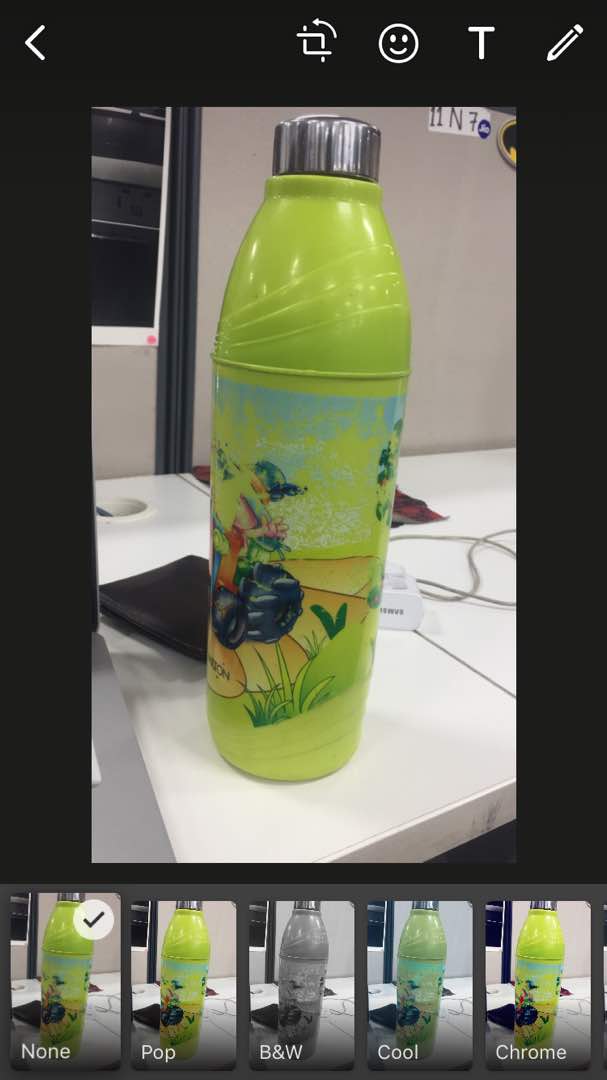
Now filters are not restricted to just the camera, it is now a part of WhatsApp as well. Users can now choose from five filters offered by the applications to jazz up the image or correct the lighting of the image. After clicking the picture or video, a user can swipe up to choose from the five filters which include cool, chrome, pop, film filters, black and white.
Albums
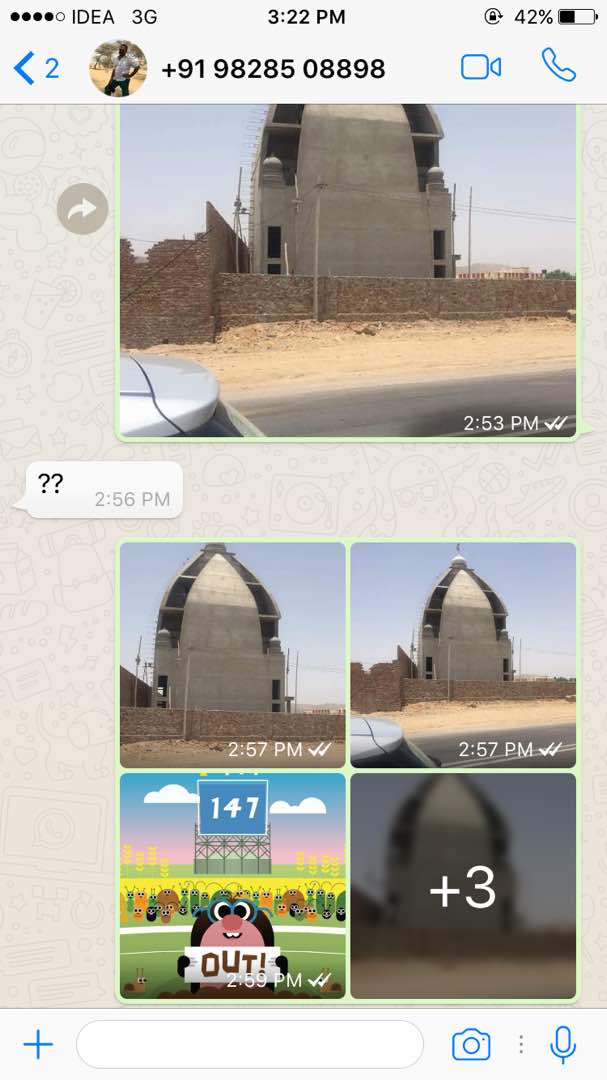
When a user sends four or more photos or videos, the app will automatically collate it in a group and create an album with a tile layout. The recipient will be able to open the album to swipe through the media full-screen.
Reply Shortcuts
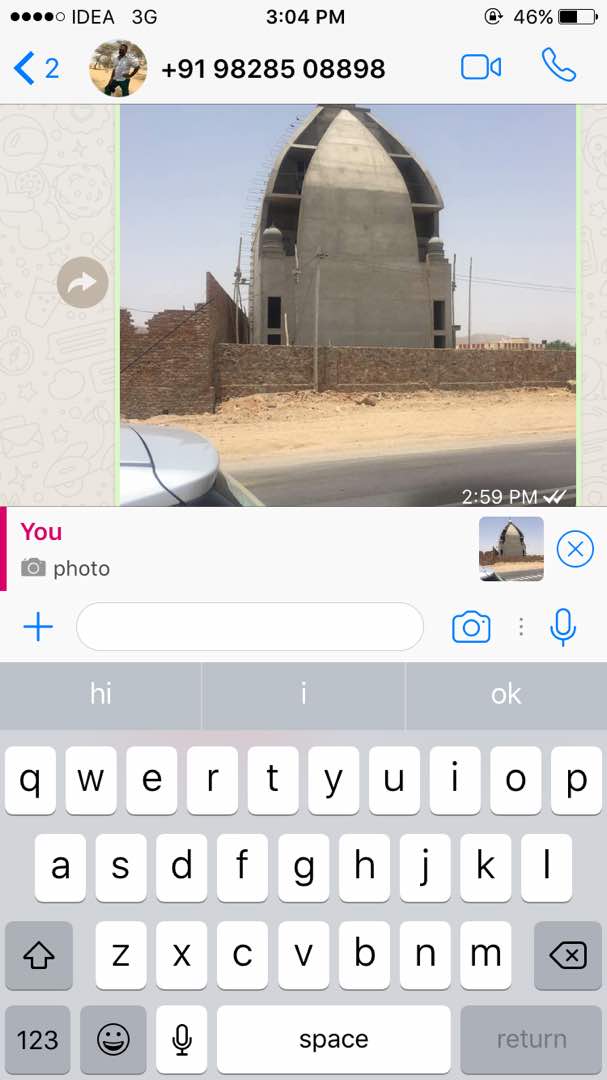
A user can now reply to a particular message in a thread by swiping on it. Just after the swiping, the message will be positioned at the bottom of the chat window to type the message as a response. This will help in communicating within long group chats where a frequent exchange of messages takes place.
Recommended: WhatsApp Pinned Chats Feature Now Available In Android
Even Facebook messenger tried implementing the ability to @mention someone in the group but, WhatsApp’s version has more precision. The particular features are released for the iOS users and company will soon add these features to the Android platform also. In addition to Status section, these features will further shift the orientation of the app towards imagery conversations.
Recommended: Indians Spend Over 50 Million Minutes On WhatsApp Video Calling
This way of messaging is not only fast but, appealing also at the same time. The introduction of these features is just a way to match the capabilities of its key rival Snapchat but, it will be interesting to see how well WhatsApp can shape these features.