Quick Answer
- Whether it’s from Instagram, Facebook, YouTube, or even a simple WhatsApp forward, since it is designed to be an educational tool, NotebookLM does a far better job in breaking down the topic in a simplified manner, making it easy to learn.
- To add Instagram or Facebook videos to Notebook LLM, you have to download the video on your device because, as I already mentioned, Notebook LLM doesn’t support direct links from Meta platforms.
- Instead of watching the entire live feed, I quickly feed the video to NotebookLM to get a quick overview of the event, saving me a lot of time.
If you are someone who uses AI to boost your productivity, then you must be aware of Google’s NotebookLM tool. It’s one of the easiest tools to convert content like PDF, videos, Text, audio files, etc into summaries. While scrolling through Facebook and Instagram, I keep coming across informative videos which I find interesting, but too long for my short attention span.
As a long shot, I tried adding the video links in ChatGPT and Gemini, but the results were not that effective, as these chatbots are often restricted from getting complete access to social media. After tinkering around with multiple AI tools, here’s how I added Instagram and Facebook videos in NotebookLM to get a quick summary.
Why NotebookLM doesn’t support Instagram and Facebook Videos Directly
NotebookLM doesn’t support Insta and Facebook videos because Meta platforms don’t provide open public access to their content as YouTube does. Meta’s privacy restrictions, Login requirements, and limited APIs prevent NotebookLM from automatically extracting files or transcripts.
Until official integrations are added, users must rely on indirect methods. I found you some of the easiest ways to add Insta and Facebook videos to Notebook LLM.
How You Can Add Instagram and Facebook videos to NotebookLM.
To add Instagram or Facebook videos to Notebook LLM, you have to download the video on your device because, as I already mentioned, Notebook LLM doesn’t support direct links from Meta platforms. If you don’t know how to download Instagram and Facebook videos, you can refer to this article, “How to Download Instagram Reels.”
But here is the quick guide for you.
How to download Instagram and Facebook videos
1. Copy the link of the video.
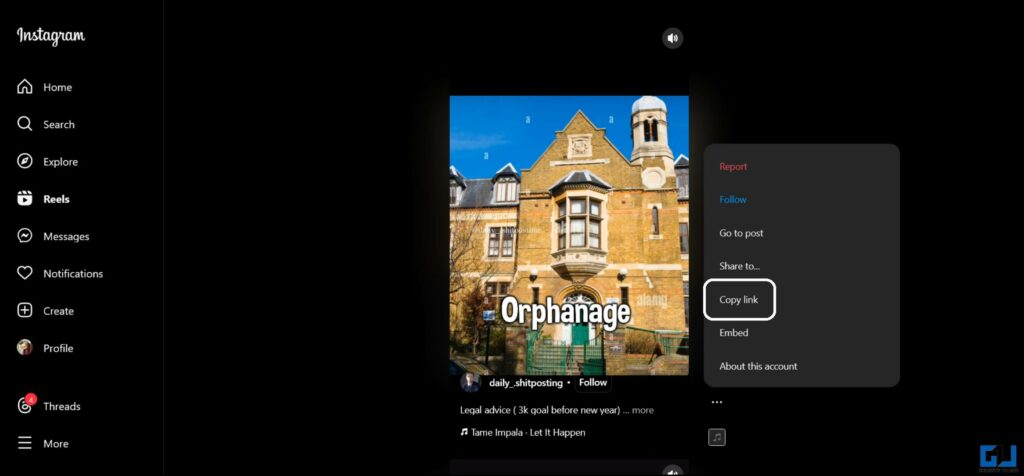
2. Paste it on websites like Snap Insta.
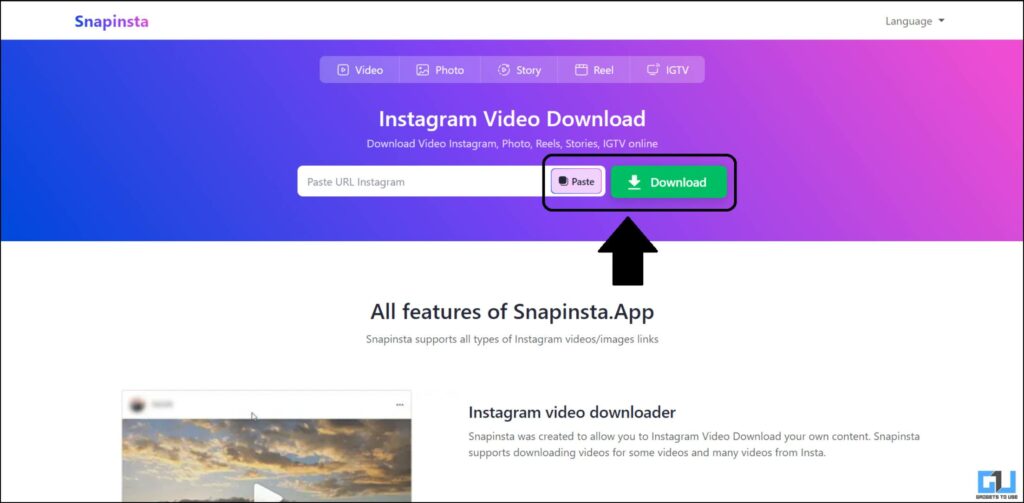
3. It takes a few seconds to fetch the video; after that, you will get the download button.
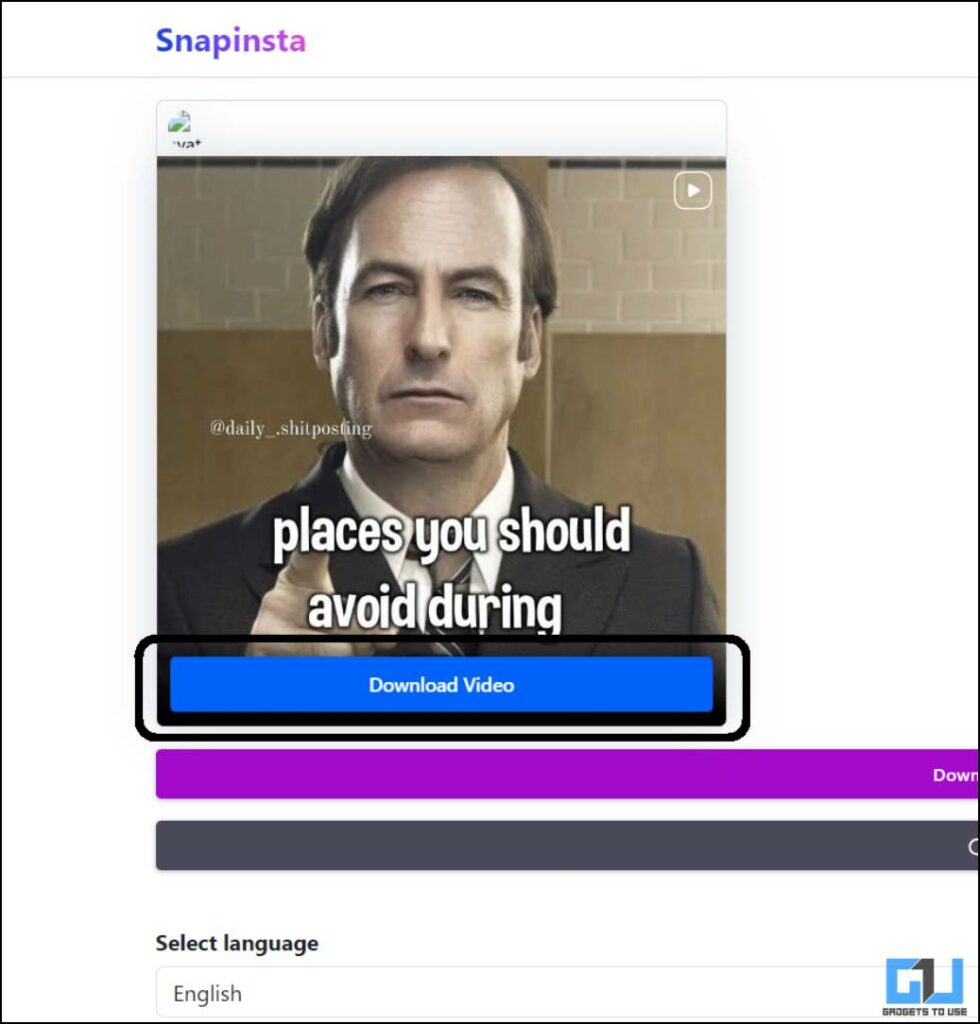
How to add videos to NotebookLM
It’s not a Big Task to add videos to NotebookLM; you just need to follow some simple steps.
1. Open Notebook LM
2. Click On “Create New Notebook”.
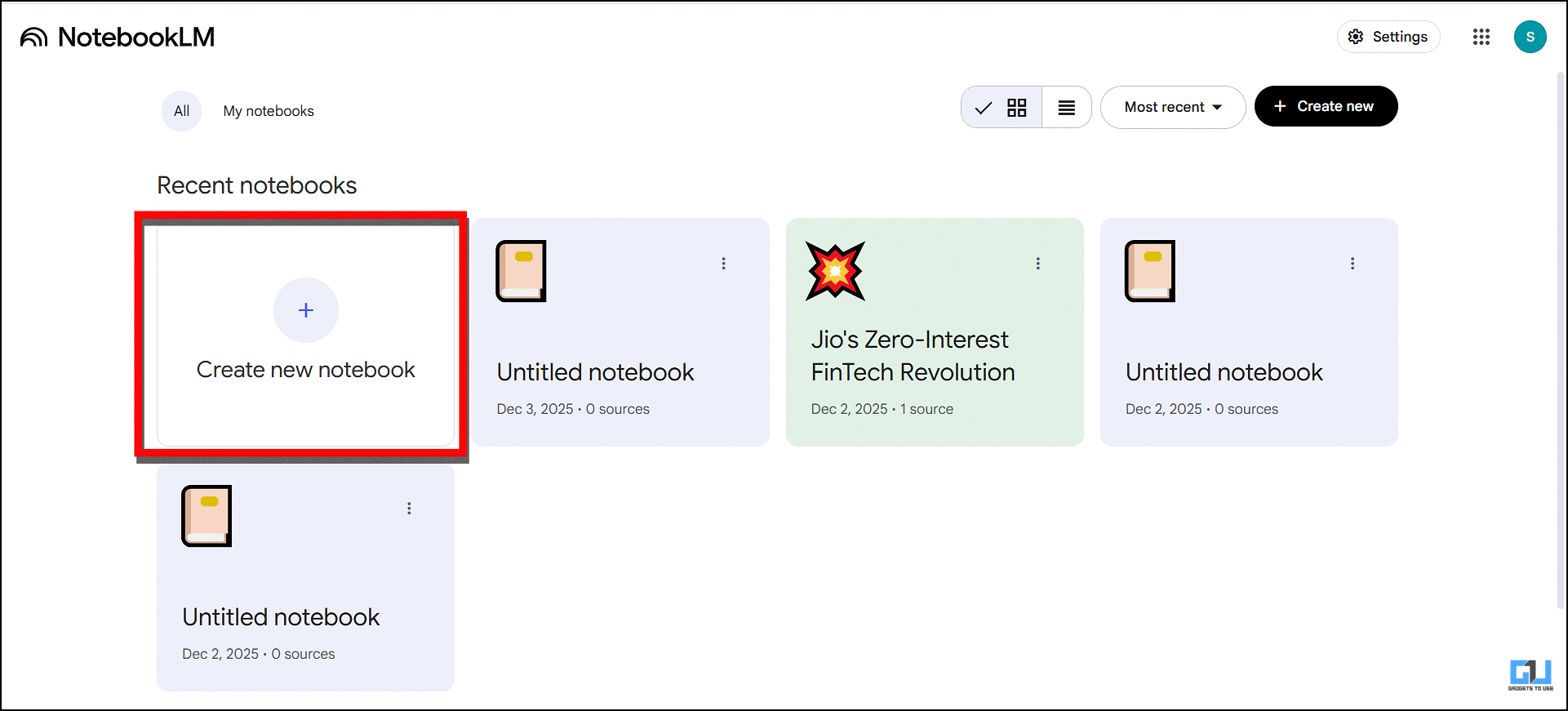
3. Click on “Upload a Source”.

4. Select the file and upload.

Once the upload is complete, NotebookLM automatically summarises the video in the same chat. It will also give you an Audio and Video overview. NotebookLM features are not limited to audio and video overview. You can also generate reports, quizzes, and flashcards.
My Real Life Applications of NotebookLM
NotebookLM offers several major advantages, and its applications are versatile. As a content writer, I keep following the world of technology, which often includes long launch events, press events, and more. Instead of watching the entire live feed, I quickly feed the video to NotebookLM to get a quick overview of the event, saving me a lot of time.
Although I was a regular user of NotebookLM, I was not aware that the tool could also be used to summarize almost any video. Whether it’s from Instagram, Facebook, YouTube, or even a simple WhatsApp forward, since it is designed to be an educational tool, NotebookLM does a far better job in breaking down the topic in a simplified manner, making it easy to learn.
From my experience, if you want to summarize a video, you should try NotebookLM instead of Gemini, ChatGPT, Claude, and other tools. Once you start using it, you will quickly realise how better it is over other chatbors, especially for learning purpose.
FAQs
Q. Can I upload Instagram or Facebook videos directly to NotebookLM?
No, NotebookLM doesn’t support direct uploads from Instagram or Facebook. You must first download the video and then drag and drop the video to NotebookLM
Q. What types of files can NotebookLM analyse?
It works with PDFs, text documents, audio files, YouTube links, images, and website content. It can summarise, rewrite, and generate content from all supported formats.
Wrapping up
NotebookLM is a powerful tool that can summarise or analyse any type of data, but it does not have integration with Instagram and Facebook, both of which come under the Meta, because of its policy. But if you want to add Instagram and Facebook videos first, you have to download the video to your local devices and then upload it to NotebookLM.
You may also like to read:
- How to Use Video Overviews in NotebookLM
- How to Learn Faster using ChatGPT’s Study Mode
- 3 Ways to Download Private Reels From Instagram
- Avoid These Common Mistakes When Using Gemini AI
Have any questions related to our how-to guides, or anything in the world of technology? Check out our new GadgetsToUse AI Chatbot for free, powered by ChatGPT.
You can also follow us for instant tech news at Google News or for tips and tricks, smartphones & gadgets reviews, join the GadgetsToUse Telegram Group, or subscribe to the GadgetsToUse Youtube Channel for the latest review videos.