Quick Answer
- In this article, we’ll show you how to download a trip invoice on the Rapido app step by step, so you can easily submit your travel expenses, whether it’s for office reimbursement or professional work.
- If you are the one who books Rapido for office travel, client meetings, or attending brand events as a creator or influencer, downloading your trip invoice becomes more than just a formality.
- Yes, many companies accept a screenshot of the ride receipt for reimbursement, especially when the official invoice email is delayed.
If you are the one who books Rapido for office travel, client meetings, or attending brand events as a creator or influencer, downloading your trip invoice becomes more than just a formality. Many companies ask for proper ride receipts to reimburse travel expenses, and influencers often need to submit invoice details after attending launches, events, or paid collaborations.
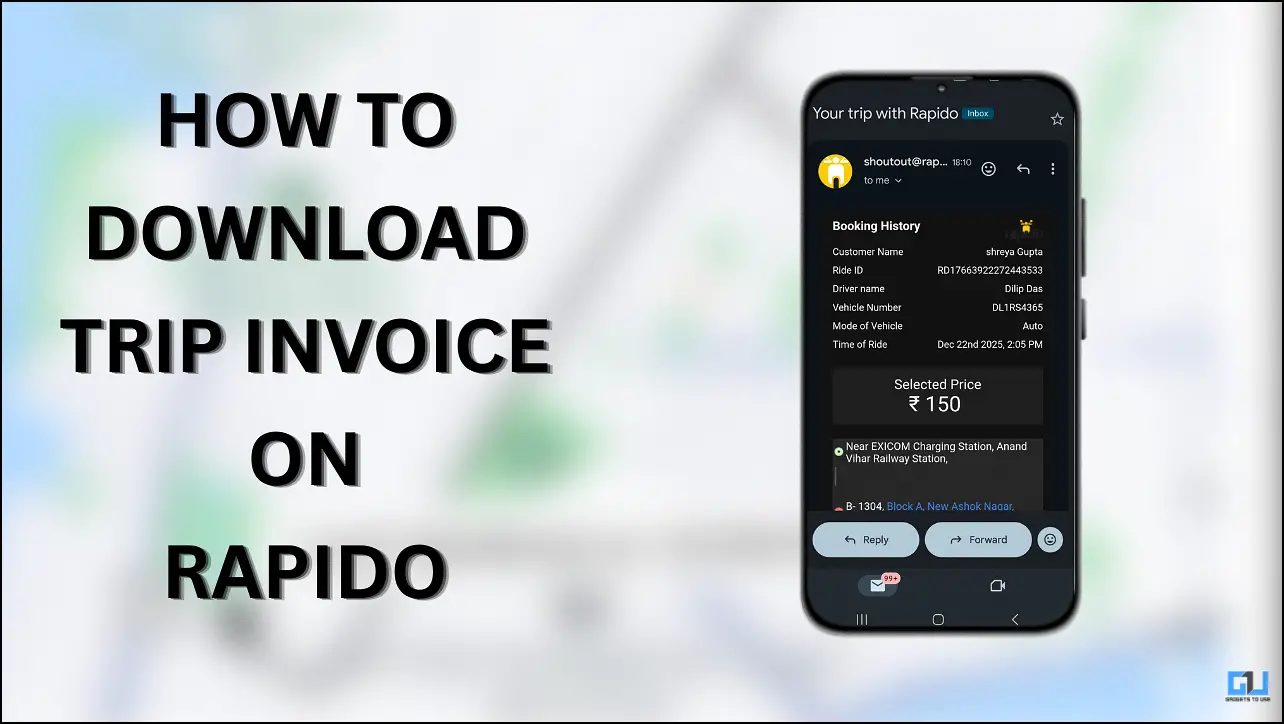
Manually noting down ride costs or requesting help from customer support, which does not look professional, the Rapido app lets you view, download, and share your trip invoice directly from your ride history. This makes expense reporting faster, cleaner, and stress-free.
In this article, we’ll show you how to download a trip invoice on the Rapido app step by step, so you can easily submit your travel expenses, whether it’s for office reimbursement or professional work.
Download Invoice in Rapido
Follow these steps to quickly save your Rapido ride invoice:
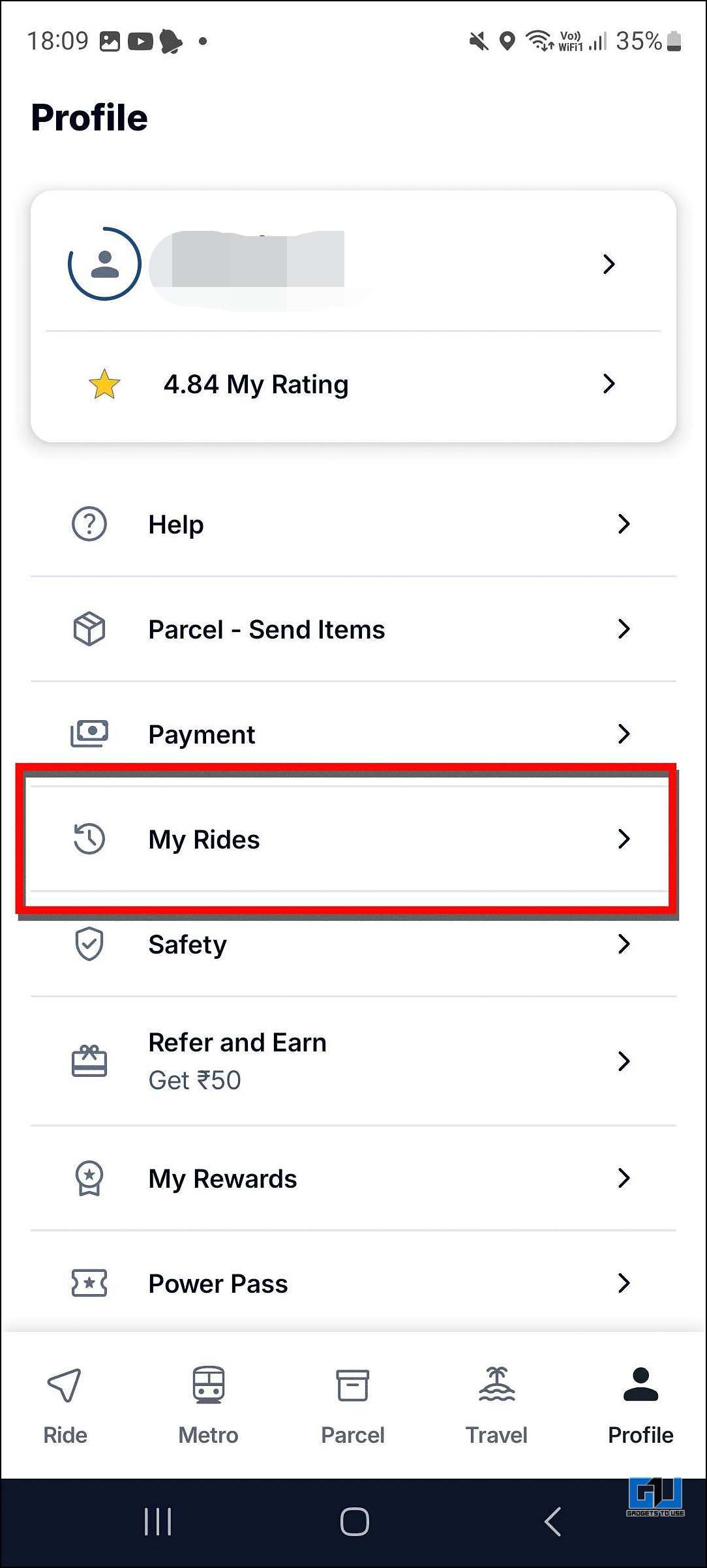
1. Open the Rapido app and go to the Profile section.
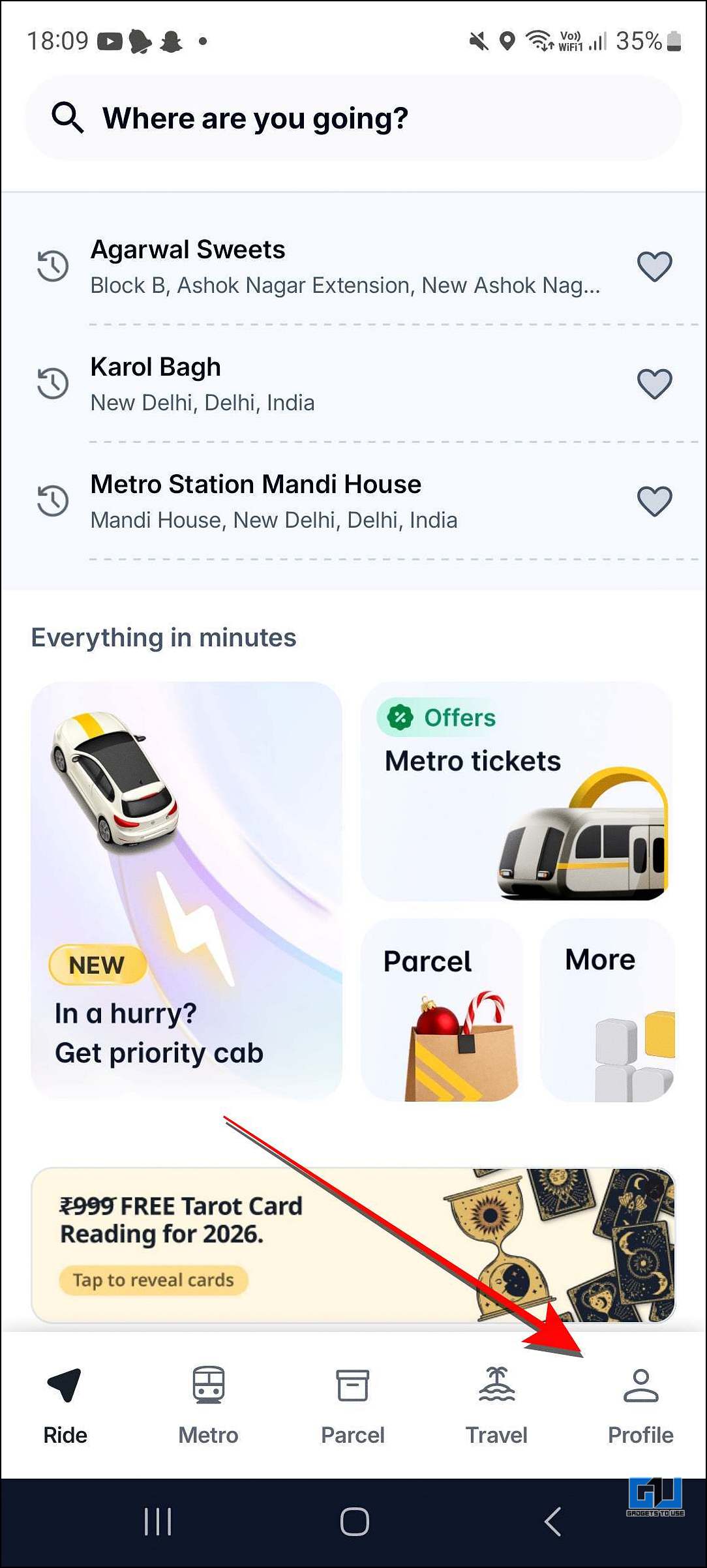
2. Select the My Rides option.
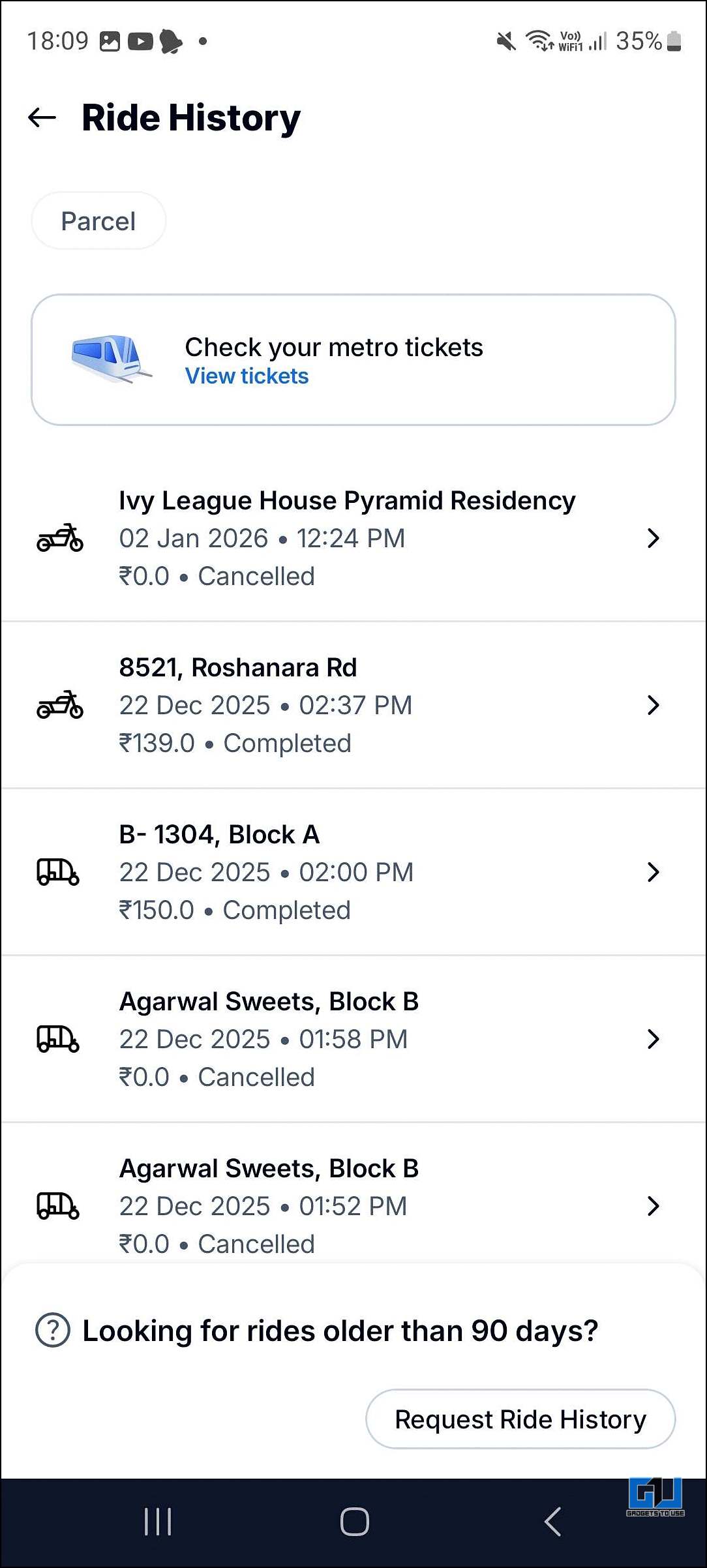
3. Select the ride for which you need the invoice.
4. Tap on Send Invoice via Email.
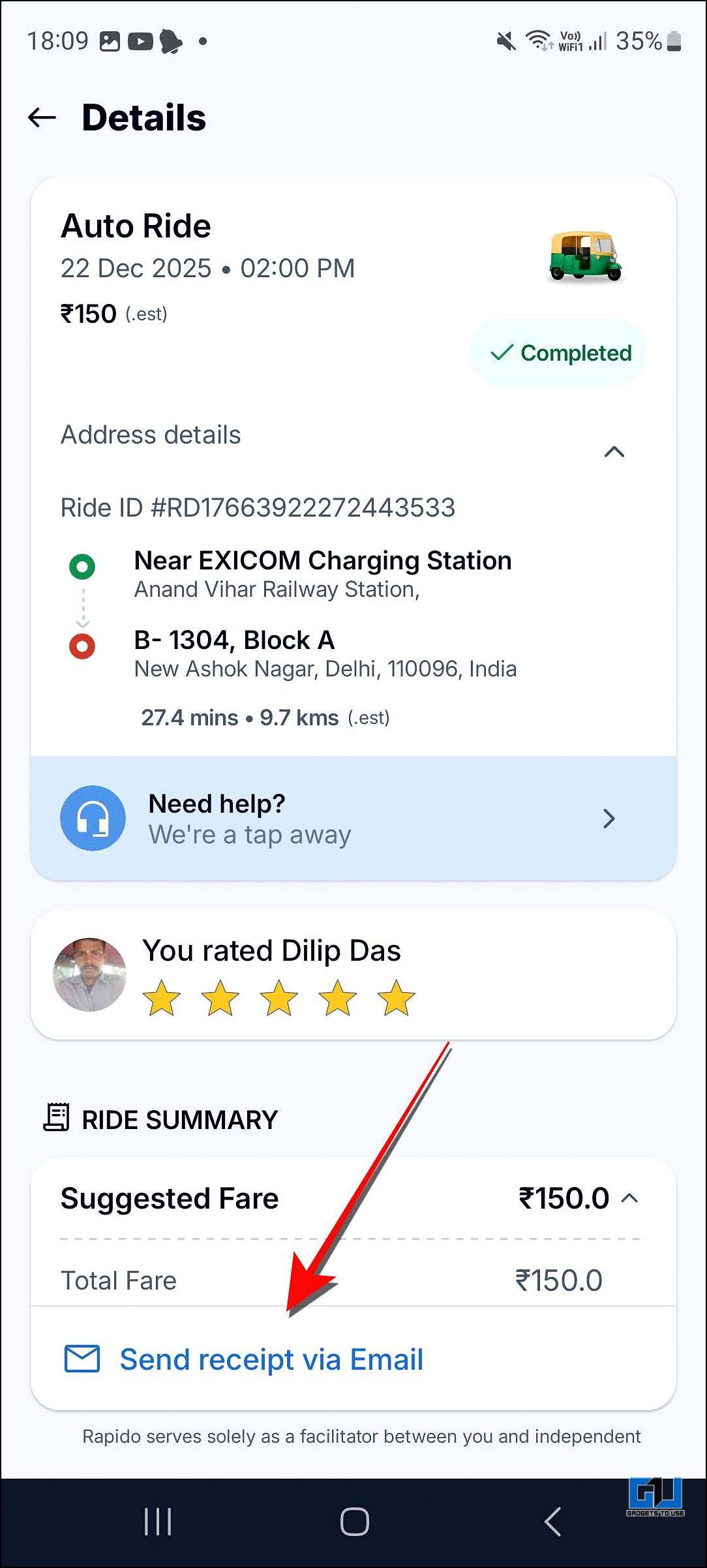
After this, you will receive an email at your registered email ID from where you can download your ride receipt.
Receipt Matters More Than Screenshot
When it comes to Rapido ride expenses, both receipts and screenshots are used as proof, but they don’t hold the same value. Here’s a simple comparison to help you understand which one works best in different situations.
| Comparison | Official Receipt | Screenshot |
| Details of Trip | Distance, pickup and drop locations, surcharge, etc., are mentioned | Not all details are mentioned |
| Acceptance for Reimbursement | Always accepted | Low acceptance |
| GST Credit | Yes | No |
| Safety | Considered genuine | Not easily accepted |
| Best use case | Best for reimbursement, tax audits | Acceptance for Reimbursement |
FAQS
Q. Does Rapido provide a manual option to download trip invoices?
No. Rapido does not offer a “Download Invoice” button inside the app. but you can download it manually by following the above instructions.
Q. Can a screenshot of the Rapido receipt be used for office reimbursement?
Yes, many companies accept a screenshot of the ride receipt for reimbursement, especially when the official invoice email is delayed. However, for accounting or audit purposes, some organizations may still ask for the official receipt.
Wrapping Up
Managing Rapido travel expenses is simple once you know how invoices work.
While there’s no direct download button, sending the invoice to your email ensures you get an official receipt.
Screenshots can help in urgent cases, but official receipts are always more reliable for reimbursements.
Keeping both handy makes office and professional expense claims smooth and hassle-free.
You may also like to read:
- 2 Ways to Book Cheaper Cabs in India
- 5 Tips to Check Uber Fake Fare Screen Scam in Your Ride
- How to Put Exact Pin Location of Google Maps in Uber, Rapido and OLA Cabs
Have any questions related to our how-to guides, or anything in the world of technology? Check out our new GadgetsToUse AI Chatbot for free, powered by ChatGPT.
You can also follow us for instant tech news at Google News or for tips and tricks, smartphones & gadgets reviews, join the GadgetsToUse Telegram Group, or subscribe to the GadgetsToUse Youtube Channel for the latest review videos.