Quick Answer
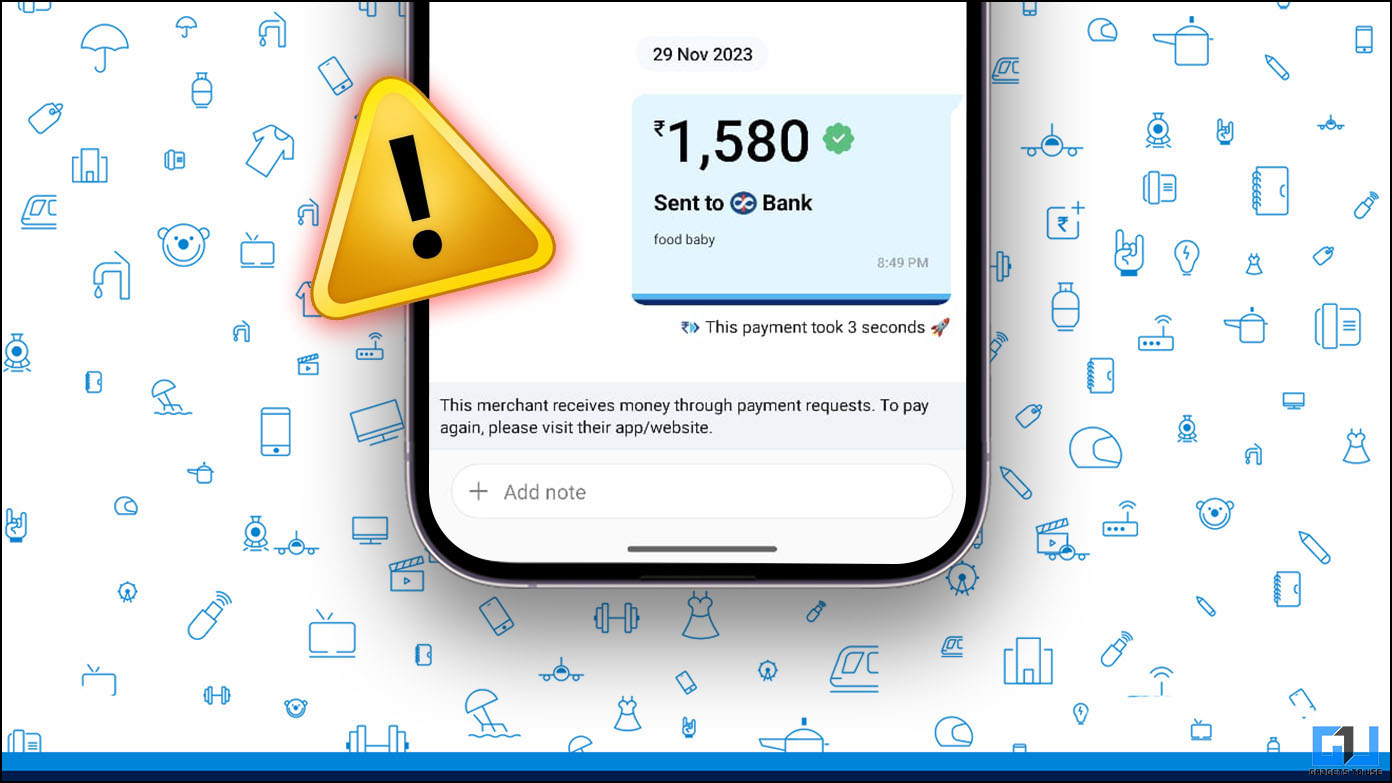
- Many users face a similar issue, which acknowledges a regular user as a merchant and asks to visit the merchant’s app or website to pay.
- How Do I Pay Someone if I Can’t Pay via QR or UPI ID on Paytm.
- One such issue is he/she is unable to pay someone on Paytm via UPI, which acknowledges the user as a merchant.
With its strong user base and network, Paytm is working to become a super app with its store, UPI payments, ONDC, and Transit Cards. However, its strong network does not spare it from issues and failures, as many users have experienced issues while making UPI payments. One such issue is he/she is unable to pay someone on Paytm via UPI, which acknowledges the user as a merchant.
Reasons Why You Are Unable to Pay to a Contact via Paytm?
If you cannot pay any of your contacts on Paytm, the following reasons might be causing the issue:
- There might be internet connectivity issues.
- Paytm server might be experiencing a downtime.
- Recipient might not have completed their KYC and can receive only limited payment.
- The QR code is linked to the recipient’s UPI ID; hence, you can only receive payment via UPI.
- The recipient might have exceeded the daily quota of UPI transactions limit.
- Paytm might have blocked direct UPI transactions due to excessive transactions.
How Do I Pay Someone if I Can’t Pay via QR or UPI ID on Paytm?
According to the NPCI policy, a user can not pay more than Rs. 3000 via UPI QR code. However, you can use this fix to avoid the Rs. 3000 limit. Many users face a similar issue, which acknowledges a regular user as a merchant and asks to visit the merchant’s app or website to pay.
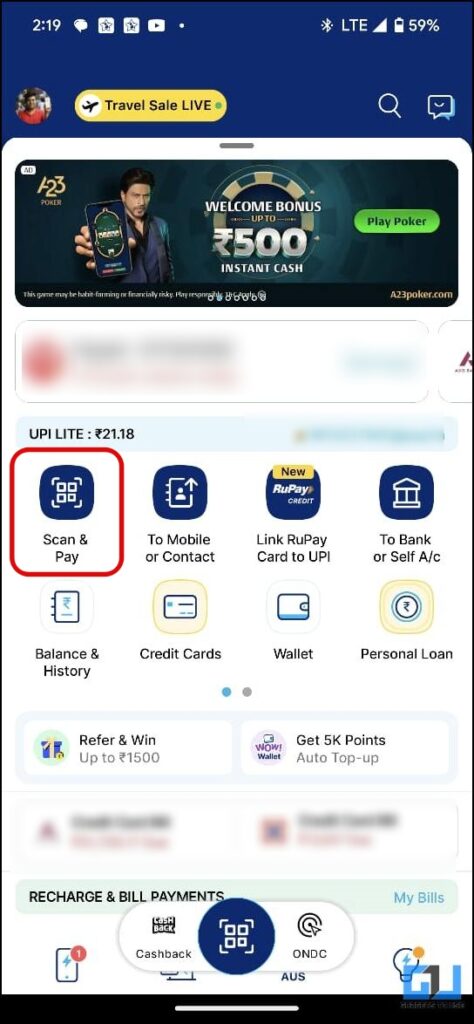
1. Follow the usual process to pay someone via UPI ID to see if you have any previous transaction history with them.
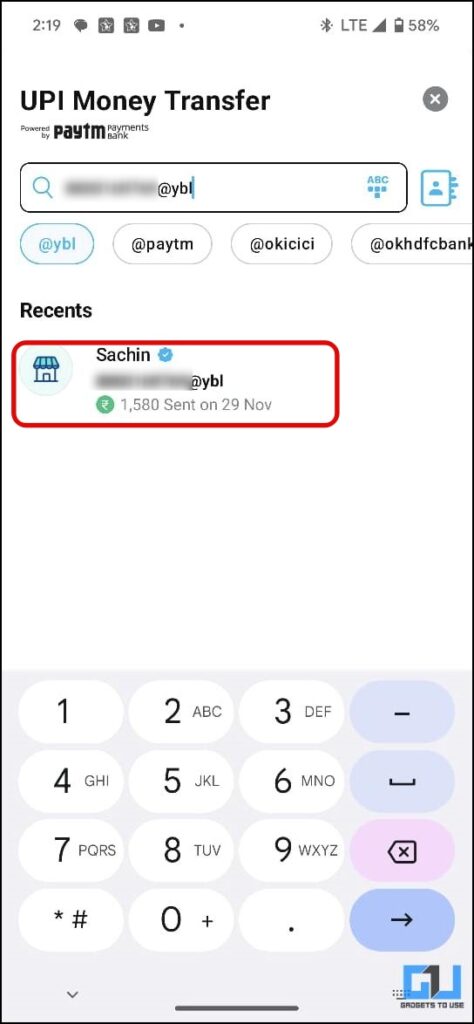
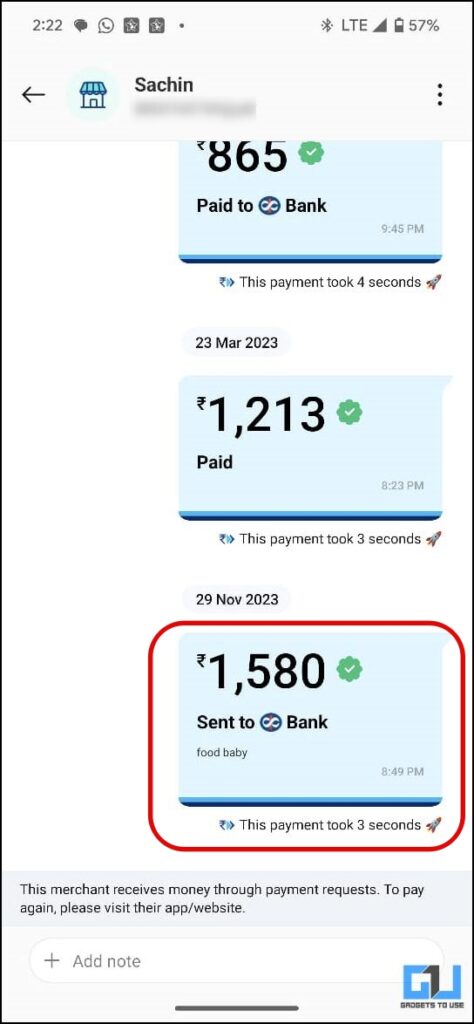
2. Tap any transaction to see the transaction details. On the transaction page, tap the Pay Again button.
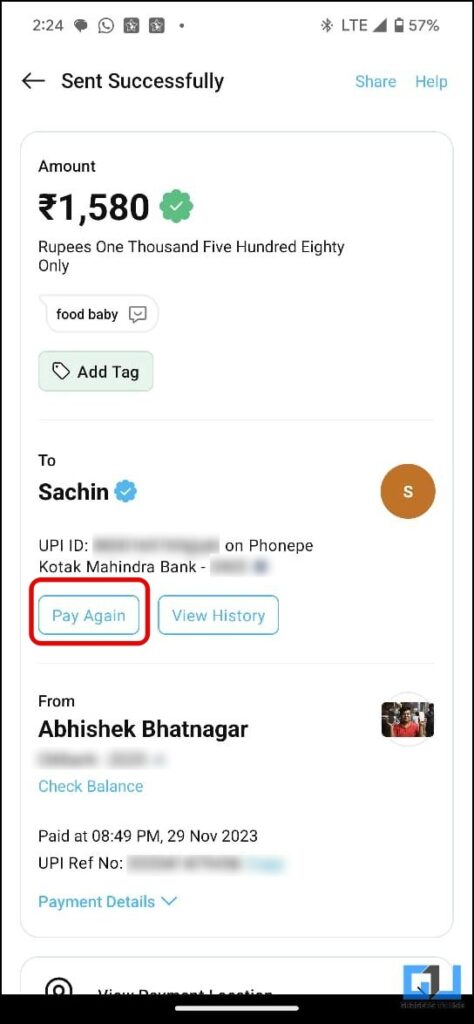
This will re-open the payment screen of the person or merchant.
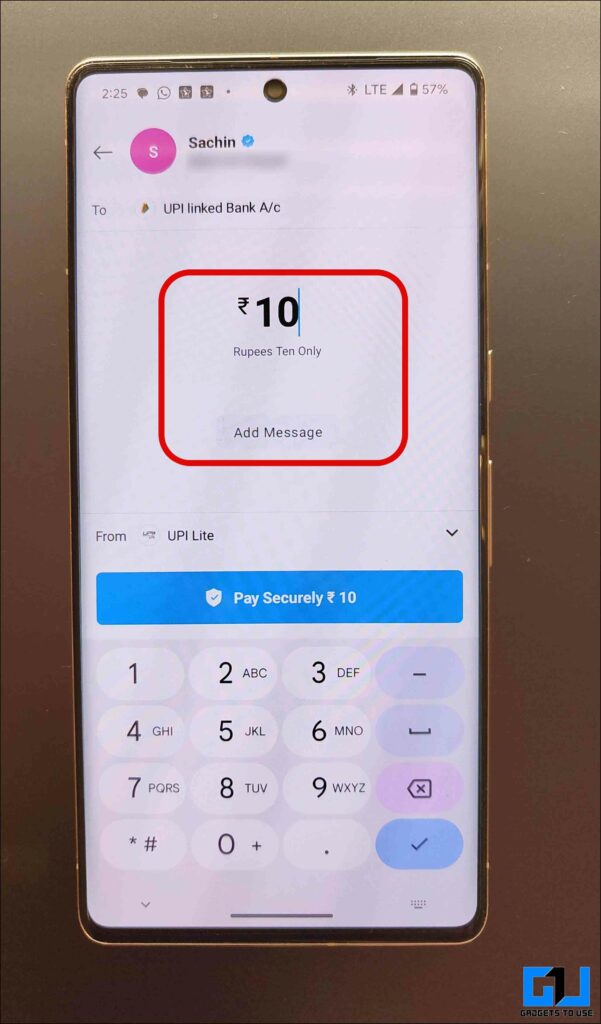
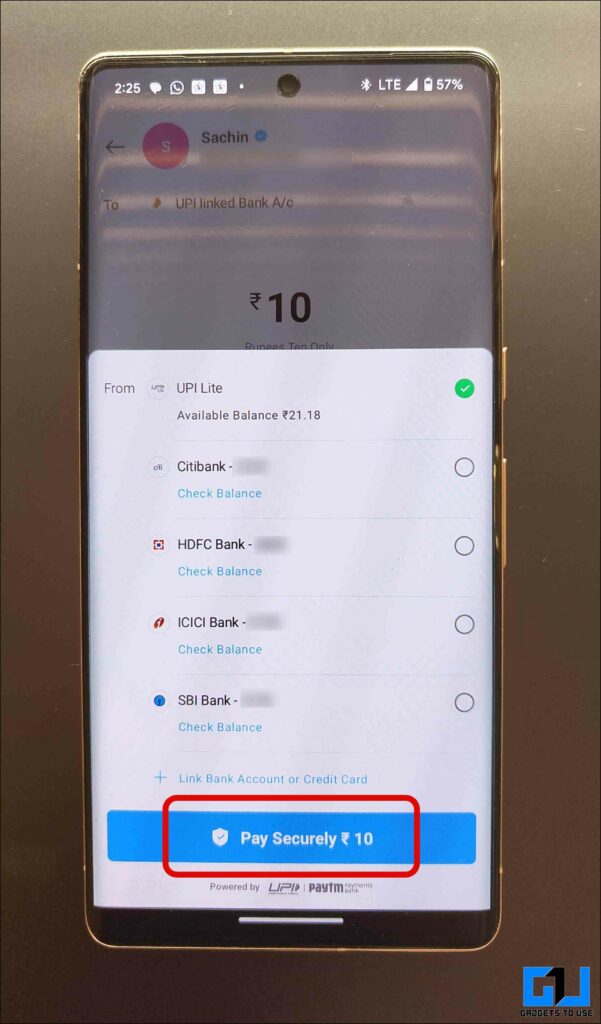
3. Enter the amount and select the payment mode. You can now complete your payment.
Wrapping Up
This is how you can fix the inability to pay someone on Paytm. While the “This merchant receives money through payment requests” error is quite scarce and might not be faced by many, if you do come across it, you can skip this error screen and complete your payment by following the steps mentioned above. Stay tuned to GadgetsToUse for more such reads.
You might be interested in the following:
- Steps to Remove Bill-Due Notifications on the Paytm App
- 4 Ways to Send Money From Paytm to Other UPI Apps
- 6 Ways to Pay via UPI Using Credit Cards in India
You can also follow us for instant tech news at Google News or for tips and tricks, smartphones & gadgets reviews, join the GadgetsToUse Telegram Group, or subscribe to the GadgetsToUse Youtube Channel for the latest review videos.