Quick Answer
- If you are a Jio SIM user in India or a student, Google is currently offering the subscription for free as an annual trial.
- This is because the output video adds the camera movement, as if it were captured from a drone.
- Can I control the camera movement of drone shot in AI generated video.
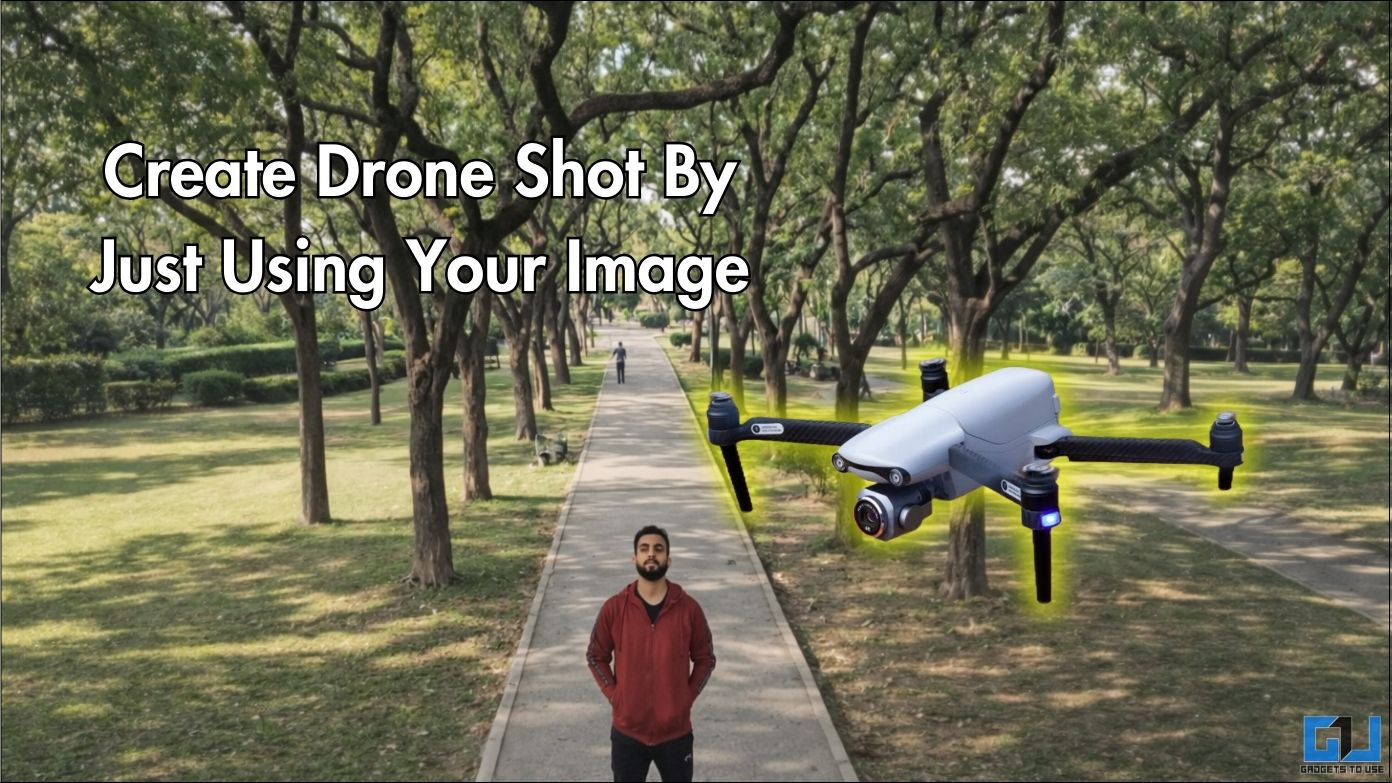
Footage captured by drones engages viewers with the perspective they offer. But using drones is not easy and also comes with a lot of logistical challenges. Video generation through artificial intelligence has really expanded the horizon with what all is possible. You can make footage, just like it was captured through a drone, with just a single image. We will test outputs from both free and paid platforms and compare their quality. We will see how they simulate camera movements, depth, and other details to make convincing footage.
Testing the Free and Paid Methods
Since this innovation emerged, many platforms have introduced this feature. We will be testing Meta AI, which is a platform by Meta Inc. This is a free method of generating videos through a single prompt. Next, we will test Veo 3 by Gemini, which is a Google platform. This feature requires at least a Google AI Plus subscription.
Free Method: Meta AI
Mark Zuckerberg’s Meta AI now lets you create videos from still images. We can use this feature to create some attractive drone shots.
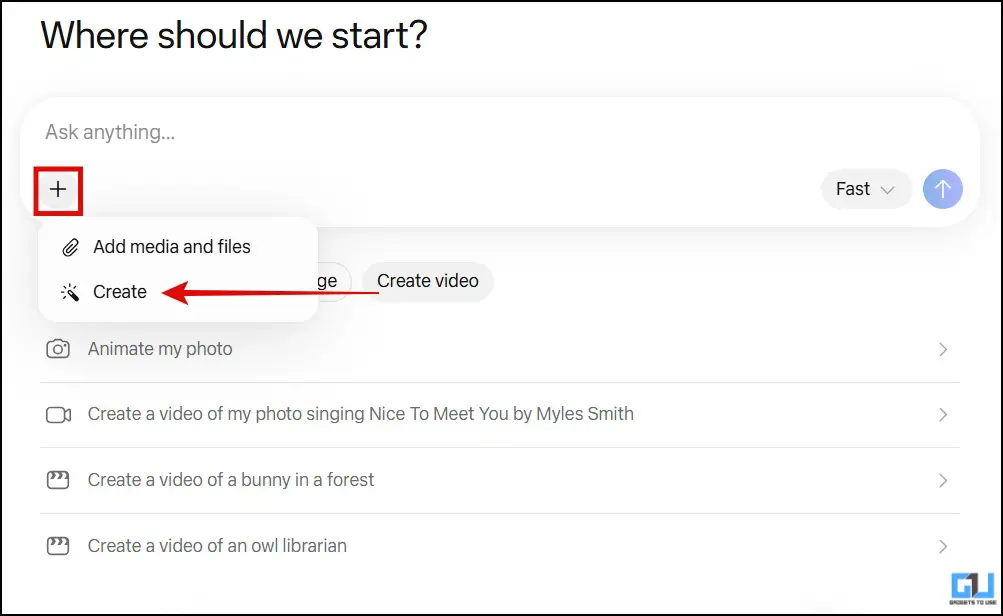
1. Open the official Meta AI website at meta.ai and login through an Instagram or Facebook account. Click the ‘+’ icon and select ‘Create’.
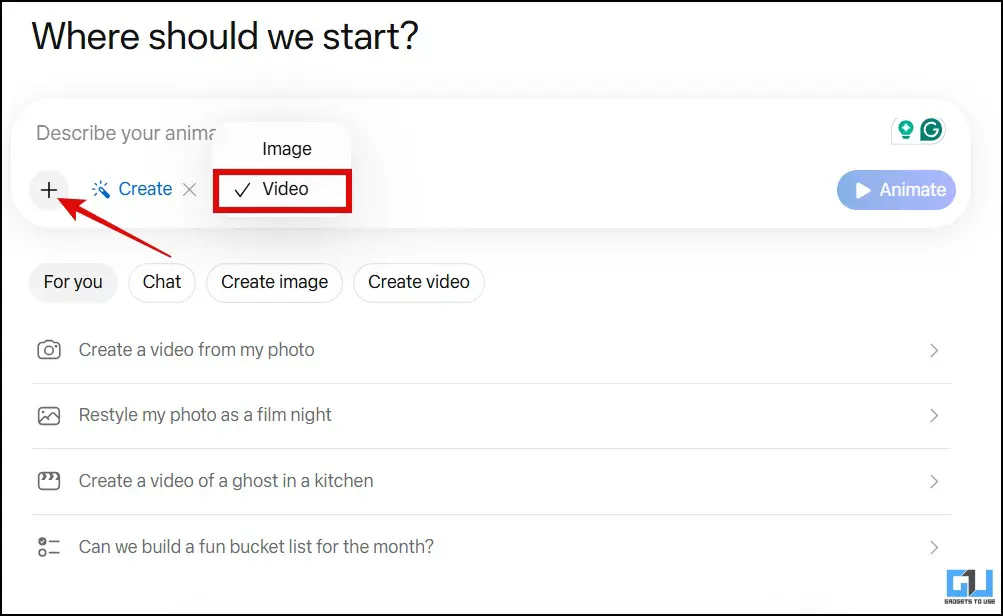
2. Make sure ‘video’ is selected, then click the ‘+’ icon again to upload the image.
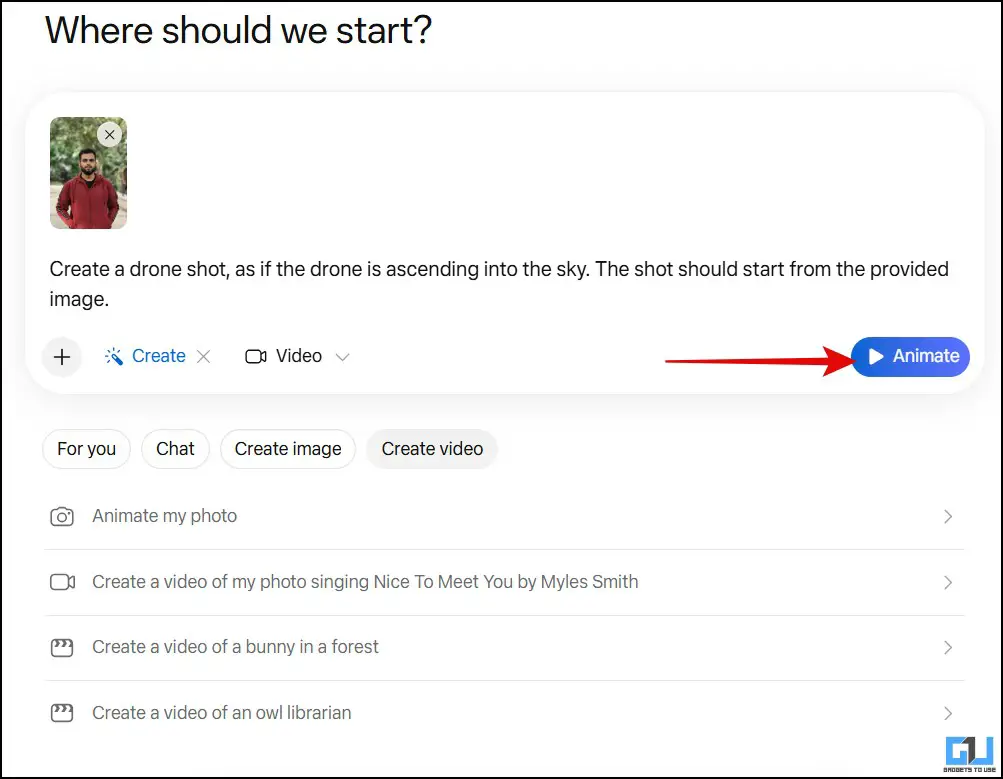
3. After you have uploaded the image, add this prompt: “Create a drone shot, as if the drone is ascending into the sky. The shot should start from the provided image.” and hit ‘Animate’.
Shortly, the video will be generated. You can add additional prompts to edit it, and you will also be able to download it.
Paid Method: Gemini (Veo)
Google’s Veo 3 is among the most advanced AI-powered video generation models. However, it requires a paid subscription of Gemini Pro to create meaningful videos. If you are a Jio SIM user in India or a student, Google is currently offering the subscription for free as an annual trial.
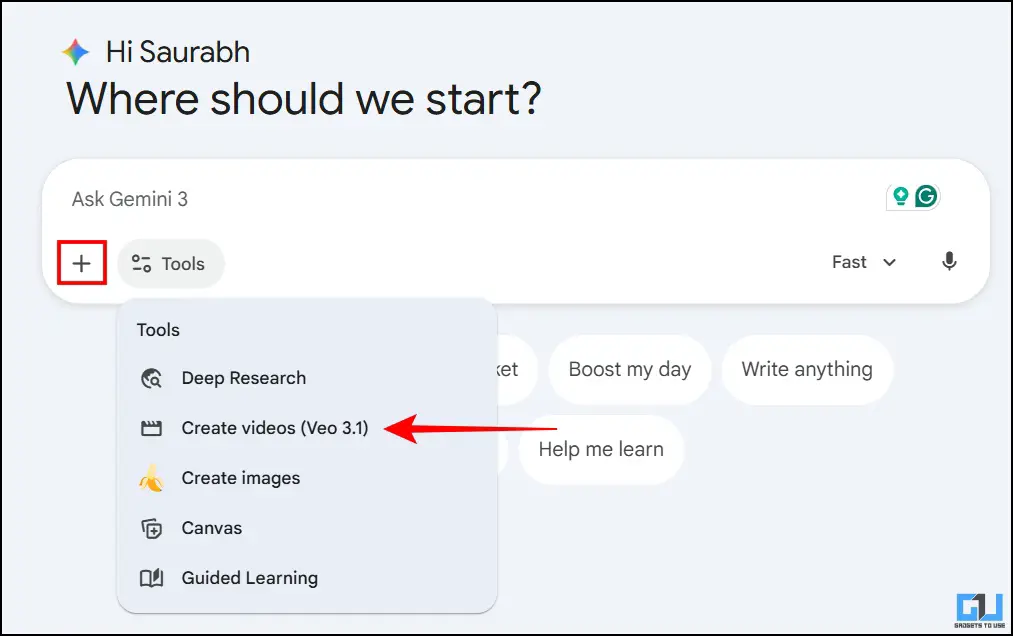
1. After opening a new chat in Gemini, select ‘Create Videos (Veo 3.1)’ from the tools menu and click on the plus icon to upload your image.
2. Now, enter the same prompt: “Create a drone shot, as if the drone is ascending into the sky. The shot should start from the provided image.” and hit send.
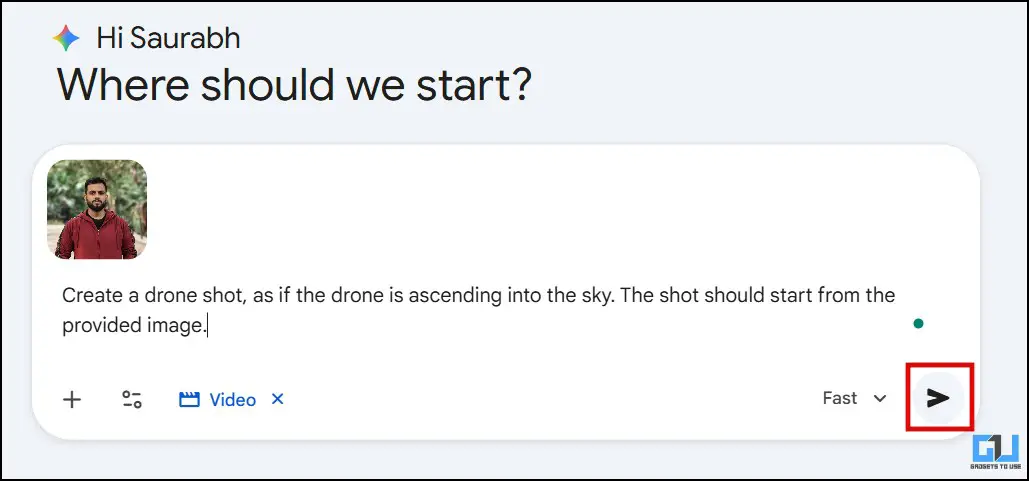
The video will be generated in 1-2 minutes, and you can download it.
Difference in the quality of output
Meta AI: This produces good results if you want to try video generation for fun. This is because the output video adds the camera movement, as if it were captured from a drone. However, the details are not maintained satisfactorily. One would be able to make out that this is a generated video. However, as mentioned, it is ideal if you want to have fun and share such videos with your friends.

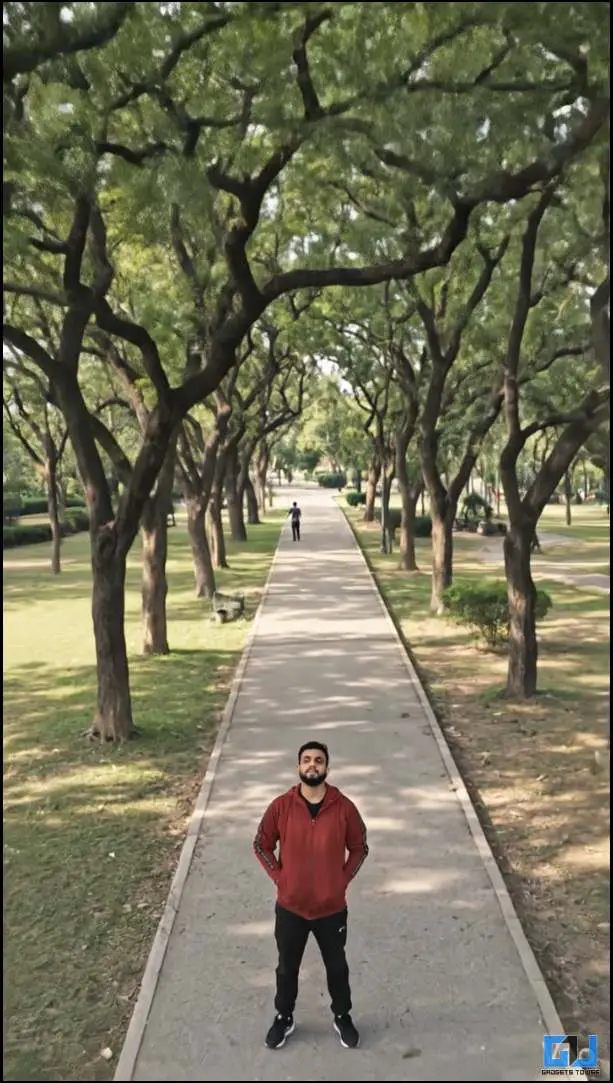
Veo 3.1 (Gemini): Compared to Meta AI, Google’s Veo 3 produces a much better output compared to the free alternative. Apart from the camera movement, which is indeed smooth, the video has realistic depth, making it appear cinematic. The details have also been maintained better. This footage can be used for professional content creation. Also, background has been added to complement the video.
FAQs
Q. Do I need a good-quality image to generate drone shot from image?
It is better to upload a high-quality image to generate better output. AI will perform better if the image has good detail and clear foreground-background separation.
Q. Can I control the camera movement of drone shot in AI generated video?
To some extent, you can control it. It’s just that you can try giving a more detailed prompt to get results as per your specific needs.
Wrapping Up
Video generation platforms liberate creators to support their imagination, especially when they have limited access. In my opinion, this can be a good starting point and an aid to your content creation process. However, it should not be relied on entirely. And if we look at the results, Veo 3.1 edges ahead of Meta AI. But as you know, quality comes at a cost, and here it is, the Google AI Plus subscription.
You may also like to read:
- This AI Feature on OnePlus Converts Photo To Video For Free
- 3 Ways to Detect Fake AI Generated Videos Online
- How to Create AI Video of Model Wearing Outfit Photos With Kling AI
- How to Add iPhone or Android Phone Frame to Your Screenshots
Have any questions related to our how-to guides, or anything in the world of technology? Check out our new GadgetsToUse AI Chatbot for free, powered by ChatGPT.
You can also follow us for instant tech news at Google News or for tips and tricks, smartphones & gadgets reviews, join the GadgetsToUse Telegram Group, or subscribe to the GadgetsToUse Youtube Channel for the latest review videos.